Permit applications, organized from intake to filing.
PermitField OS keeps your permit applications, documents, and filing status in one place — with AI-assisted extraction to cut down manual data entry. Built for contractors in the Canadian jurisdictions we cover today.
Three steps
How it works
- 01
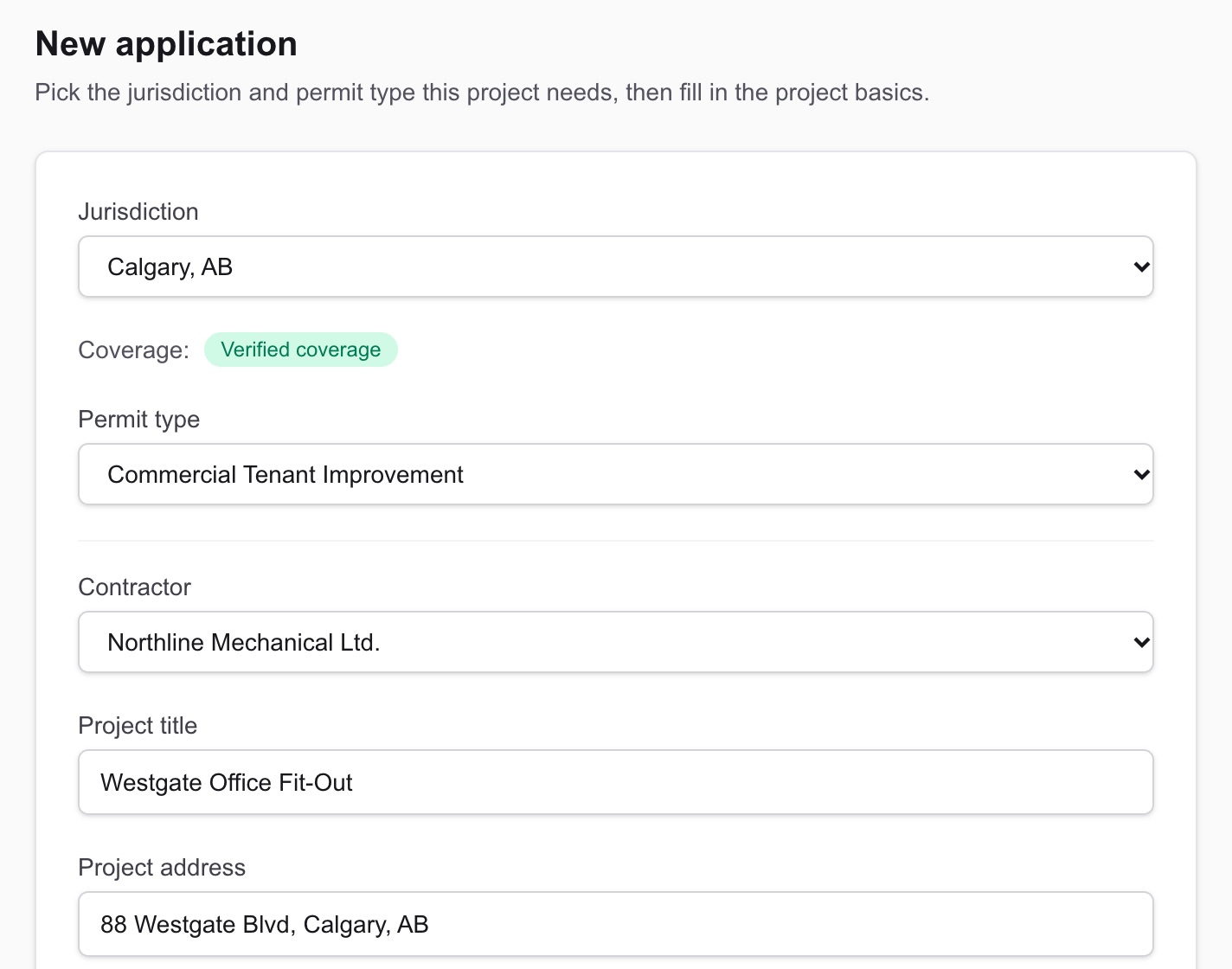
Start an application.
Add project and jurisdiction details to create a new permit application.
- 02
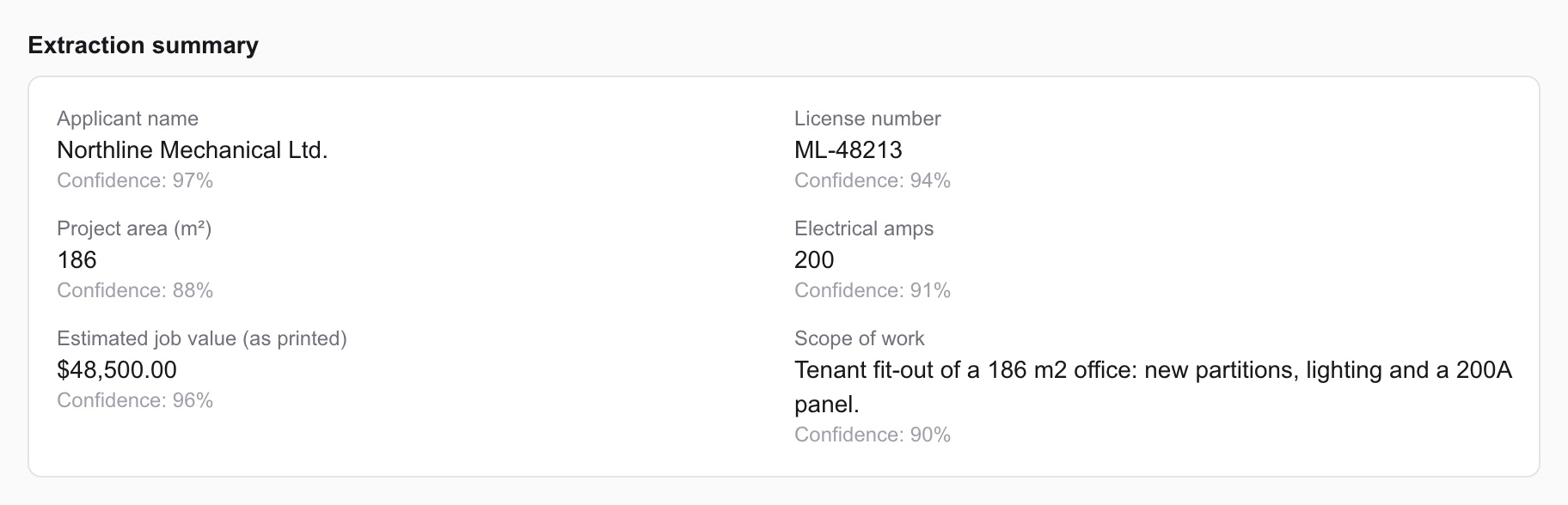
Upload your documents.
PermitField extracts key applicant, contractor, and scope details automatically, so you're not retyping what's already in your paperwork.
- 03
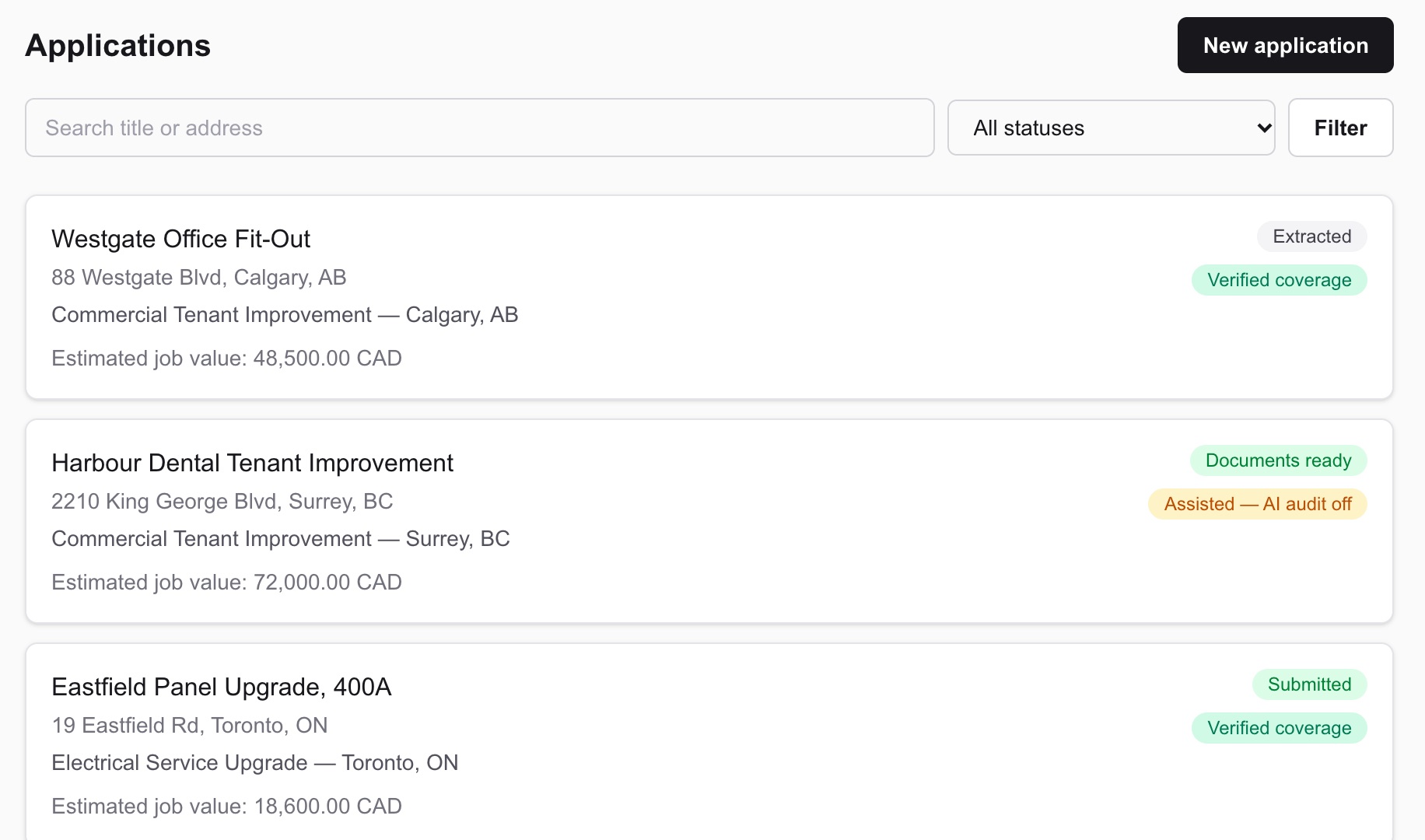
Track it through to filing.
Watch your application move from draft to documents-ready, and mark it submitted once you've filed with the authority.
Screens show sample data.
Features
What PermitField OS does today
Centralized intake & tracking
Every application's documents, status, and history in one record.
AI-assisted document extraction
Key fields pulled from your uploads for review, not blind auto-fill.
The city's own form, filled in
Commercial tenant improvement forms in every city we cover except Calgary, plus Toronto electrical service upgrades. Calgary files online only, so you get every answer ready to paste.
Organization-level data isolation
Your applications are scoped to your organization, enforced at the database layer.
Coverage
What's covered today
- Calgary, ABVerified coverage
- Edmonton, ABAssisted — AI audit off
- Coquitlam, BCAssisted — AI audit off
- Maple Ridge, BCAssisted — AI audit off
- Port Coquitlam, BCAssisted — AI audit off
- Richmond, BCAssisted — AI audit off
- Surrey, BCAssisted — AI audit off
- Vancouver, BCAssisted — AI audit off
- Hamilton, ONAssisted — AI audit off
- Ottawa, ONAssisted — AI audit off
- Toronto, ONVerified coverage
PermitField OS is expanding jurisdiction by jurisdiction. "Verified" means we've reviewed the applicable code and requirements directly; "Assisted" and "Listed" jurisdictions are earlier in that process — see in-product coverage badges for what's enabled at each stage.